Archives 2024

What is ADA Compliance

What is ADA Compliance

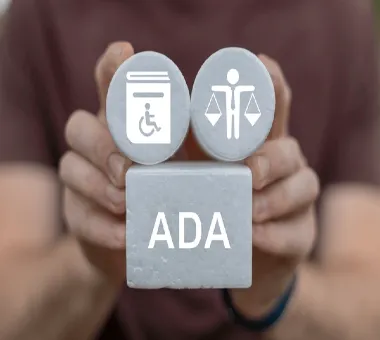
The Americans with Disabilities Act(ADA), is a U.S. law passed in 1990. Banning discrimination against individuals with disabilities is what ADA Compliance entails. This means that it ensures all users have equal access to website content and digital material. Physical locations irrespective of their physical limitations.

The key aspects of ADA compliance

  • Web Accessibility: Making sure that web content is accessible for people with different disabilities. Such as visual impairment, hearing impairment, or motor disability. Use appropriate text as alternatives for images, ensure keyboard navigation, and provide transcripts for the audio materials.
  • Physical Accessibility: Ensuring that buildings, places of public use, and other structures are accessible by providing ramps, lifts, accessible toilets, and signages that are easy to read.
  • Legal Requirements: Non-compliance with ADA laws can lead to legal action including lawsuits and penalties. Businesses and organizations must provide reasonable accommodation for the needs of individuals with a disability.
  • Guidelines and Standards: The Web Content Accessibility Guidelines (WCAG) are commonly used standards for digital accessibility. Criteria are outlined in these guidelines that can help improve access to web-based information by persons living with disabilities.
ADA Compliance Relevance:
  • Inclusiveness: It guarantees that services, information, and opportunities can be accessed and enjoyed by all people without considering their abilities.
  • Legal Safety: It aids in avoiding legal suits associated with accessibility by companies and institutions.
  • Enhanced Experience For Users: It improves the usability of sites as well as spaces for everyone not only persons who are disabled.
  • Social obligation: The commitment to diversity, equity, and inclusion manifested through the provision of services to disabled individuals.
Accessibility tools on the web include:
  • Web Speakers: Software that allows one to hear the text you find on websites such as JAWS or NVDA which aids individuals without sight to move around in an online environment.
  • Keyboard accessibility: The vital feature ensuring every single part of any site is open to those who experience physical challenges even if they cannot operate computers’ mice.
  • Accessible Forms: Web forms should not only be keyboard-friendly. But also have recognizable labels, lucid directions, and error messages readable using screen readers.
Common Challenges in Achieving ADA Compliance:
  • Complex Media: Videos and audio require captions, transcripts, and descriptions for complete access, which may require significant effort to actualize.
  • Dynamic Content: Websites that are regularly updated such as social media feeds or interactive tools can make it difficult to maintain accessibility.
  • Third-Party Content: It is often hard to manage and keep track of third-party plugins, embedded items, and external references that are in according with the Act of ADA compliance.
Legal Implications:
  • Recent Legal Cases: There is a visible concern on the issue of digital accessibility due to the increase in the number of lawsuits being filed against businesses that do not comply with the ADA. As a result, many corporations are now focusing on ensuring their products are ADA-compliant after being sued by large corporations.
  • Settlement Agreements: Those companies who are non-compliant often sign settlement agreements requiring them to make changes on their online platforms. Educate their personnel about ways to enhance accessibility, and conduct regular audits. Aimed at establishing whether or not they comply with laws and regulations related to website maintenance.

Procedures for Attaining ADA Compliance:

  • Perform an Accessibility Audit: Evaluate your website, applications, and online content to determine. The places that require enhancement are as per the ADA and WCAG guidelines.
  • Execute Improvements: Tackle the concerns uncovered during the scrutiny by adjusting your code, design, and content to satisfy accessibility criteria.
  • Constant Monitoring: Always keep an eye on your digital possessions for accessible issues since fresh content updates may create new barriers.
  • Training: Teach your employees about the best practices in accessibility so that any new content or updates will comply with standards.
  • User Testing: Engage people living with disabilities in user testing of your designs to obtain their opinions on how accessible they are in real life.
Advantages of ADA Compliance:
  • Expanded Audience: Making your website accessible opens it to a wider audience including thousands of individuals with disabilities
  • Search Engine Optimization Benefits: Improving accessibility usually means good. SEO since search engines prefer sites that are easy to use and organized well.
  • Enhanced Branding Image: A commitment to making things accessible can build up a positive perception about the brand indicating its consideration for inclusion and diversity.

Conclusion

ADA Compliance is not merely a law requirement. It is a critical element of modern digital design and user experiences. By making sure that your website, applications, and real estate are available for all. You will not only meet legal needs. But also help in creating a more encompassing and fair society. The fundamental aspects of ADA Compliance include regular audits, continuous improvements as well as being up to date on the latest guidelines that influence the practice.
ADA Compliance is essential for establishing an inclusive atmosphere both online and offline. That allows each person equal access to resources and prospects.

https://digitalanivipracticeb.com/how-do-drones-work/

Frequently Ask Questions

What is ADA Compliance?

ADA compliance refers to following the standard set by the Americans with Disabilities Act (ADA), which means companies and organizations must ensure that their physical and digital environments are accessible to people who have disabilities.

Why is ADA Compliance important for websites and digital content?

ADA compliance guarantees that all users, including those who are moving around on these pages using a wheelchair or having trouble seeing, can get everywhere without any problems. Moreover, it helps businesses avoid legal troubles and improves their public image through the support of diversity.

What are some fundamental aspects of ADA Compliance for online materials?

Essential constituents involve accessible web layout (by incorporating alt text to images, allowing keyboard navigation, and adding videos’ captions), end-user-friendly forms, and easy-to-read fonts. It also entails arranging content in such a structure that screen reads can effectively interpret it. Furthermore, there needs to be respect for standard typography rules as well as every document style’s format.


How do I recognize if my internet site is ADA Compliant?

You can perform an accessibility audit using tools like WAVE or Lighthouse to identify compliance issues. Additionally, flexibility and freedom about divesting one’s disability-exclusive learning styles is what enhances better understanding through proper hands-on experience with those likely having physical limitations.


What are the legal consequences of failure to comply with the ADA?

When businesses do not comply with ADA regulations, they are probably sued, fined, or even ordered by a court ruling that they must change their internet materials. This has happened before; companies such as Target and Amazon have been involved in legal battles over their failure to provide websites and other accessible services. Consequently, this can attract quite many challenges like hefty legal bills and social relations.
How do drones work

Mini Drone Camera 2024 , digitalanivipracticeb

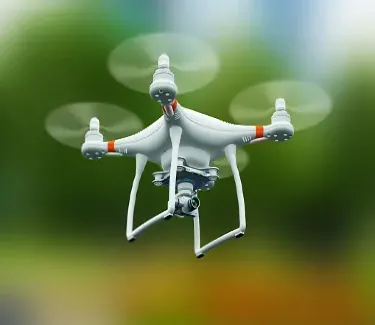
The functioning of drones is facilitated through the combination of several important elements. Enable the machines to fly, navigate, and perform tasks either automatically or under remote control. To give you an outline of how drones work:

Flight Control System

  • Propellers and Motors: A drone typically has multiple propellers (usually four, called a quadcopter) which are powered by electric motors. The fast spinning of the propellers is what causes lift hence making it possible. The drone to take off, hover, and move in different directions as well as land.
  • Flight Controller: The brain of this aircraft is the flight controller. It interprets input from different sensors like gyroscopes and accelerometers. As well as signals from a remote controller that the pilot uses to adjust the speed of the motors. This enables it to maintain a steady state while also controlling its motion.
  • Gyroscope and Accelerometer: These sensors determine the orientation and movement. An aircraft thus helps in keeping balance thereby enhancing stability during flight.

Power System and Power Administration

  • Battery: Rechargeable lithium polymer (Li-Po) batteries are usually the source of power in most of the drones. They provide the energy required to run motors, flight controllers, and on-board electronics.
  • Electronic speed controllers (ESCs): These are components that regulate power to the motors. Thereby enabling a drone to change its speed and direction.
  • Battery Types and Efficacy: Predominantly, light-powered flying objects utilize lithium-polymer (Li-Po) batteries. Since they balance weight, energy density as well as discharge rate without compromising any one characteristic too much. For an airborne device to remain airborne for longer durations, intelligent batteries with this capability are employed by more sophisticated drones that tell how much time of flight is left and its state of health indicator.
  • Battery Charging Mechanisms: As it appears today’s drone manufacturers include fast charging systems. Their offerings may incorporate multiple batteries enabling extended periods of flying. Cutting-edge UAVs can have even power management systems while flying making sure that every drop from the cell is put to good use together with factors like environmental conditions during flight among others
Navigation and Control
  • Remote Controller: To control the drone, a pilot employs a handheld device referred to as the remote controller. Typically, it communicates with drones over radio signals (e.g., 2.4 GHz frequency).
  • GPS Module: Many drones rely on GPS (Global Positioning System) for accurate positioning. Automated trajectory alignment, and return-to-home features.
  • Obstacle Avoidance Sensors: Advanced drones have sensors like ultrasonic, infrared, or visual cameras that can identify impediments in flight path hence aiding the avoidance of crashes by the concerned flying objects.
Autonomous Flight and Navigation
  • Inertial Measurement Unit (IMU): An IMU is an essential device that merges accelerometers and gyroscopes to sense the drone’s movement and orientation. The flight controller continuously processes this data so that it may adjust the position of the drone and keep it stable.
  • Waypoint Navigation: With the help of GPS or other satellite-based navigation systems (like GLONASS or Galileo), drones can travel on predetermined paths without having any human intervention. Such technology finds its best use in farming, where drones move along specific routes covering large territories effectively.
  • Navigating without GPS, especially in indoor locations or places with weak satellite signals. Some advanced drones utilize machine vision techniques such as Visual Odometry or Simultaneous Localization and Mapping (SLAM).
Constitution of Communications
  • Transmittance and Reception via Radio: The operator of the drone’s remote controller transmits instructions through radio way waves to the drone’s integrated receipt. It means that a pilot can direct the movement of such an aircraft by changing its height, angle, or velocity.
  • Transmission of Information: This system relays in time information like battery state, position in space, or height accessed at every given moment by a pilot from his/her remote station in the air. There are some UAVs that also relay live images and sounds.
Camera and gimbal (Optional)
  • Camera: Several drones come equipped with cameras for shooting photographs and videos. An aerial view is taken by the camera.
  • Gimbal: The gimbal is a mechanical stabilization system that holds the camera in a position even if the drone is in motion. For this reason, it makes possible smooth video recordings of professional quality.
Services that No One Needs
  • Map my aerodrome: Drones can be programmed to fly in specific paths that have been predetermined through human efforts or by computer algorithms. This functionality comes in handy for mapping and surveying jobs.
  • Redundancy of Place where it originates (RTH): Construction of GPS devices on board enables them to return home irrespective of power level or communication failure, so they can find their home airstrip.
Software, Firmware, and Artificial Intelligence
  • Flight Control Software: The flight control software of a drone is responsible for managing all aspects of its flight from stabilization to navigation.
  • Firmware updates: The manufacturers regularly release firmware updates to improve drone performances, add new features, or fix bugs.
  • AI Capabilities: Drones today often come with AI technology. For various functions like seeing things, flying without manual control (“Follow Me” and ”Orbit”), and analyzing data at once. These capabilities enable the drone to carry out its assignments with little human input.
  • The functionalities of geofencing are often incorporated into different drone models to ensure they do not enter places like airports or military installations. This is accomplished through computer programs that use satellite navigation information in tandem with control systems to restrict movement by air.
Safety Features
  • Geofencing: This controls where drones can fly and cannot enter restricted areas such as airports and government buildings.
  • Failsafe Systems: In case of a malfunction, such as signal loss. The drone may automatically land or return home.
  • A drone’s behavior is influenced by the laws of various countries. The altitude limit, whether or not it can be flown over populated areas, licensing, or registration are all part of it. That’s why many sophisticated drones come with special software which makes them comply with local regulations.

Applications and Use Cases

  • Aerial Photography and Videography: Drones are changing the way photos and films are taken. They offer new angles that were hard or impossible to get before.
  • Agriculture: Drones are flying unmanned aerial vehicles (UAVs) applying and collecting data for crop monitoring purposes. This allows precise farming techniques resulting in increased production at reduced costs.
  • Search and Rescue: Drones equipped with thermal cameras help find missing persons by sending supplies or giving information in areas affected by natural calamities through real-time data.
  • Infrastructure Inspection: Drones can check bridges, power lines, or buildings without putting human lives into danger as well as obtaining more detailed visual information needed for maintenance works or repairs.
  • Logistics and Delivery: Amazon uses drone technology. To explore last-mile delivery services where small packages can be delivered quickly to customers’ doorsteps.

Summary:

Drones are very technical devices that contain lots of technologies for controlled flight and specialized functions. They serve a variety of purposes ranging from homes to work facilitation. Their versatility, efficiency, and accessing remote/dangerous places make them necessary instruments in different domains. The possibilities of drones will likely increase further with the advancement of AI, sensors, and materials hence generating novel applications soon.

Frequently Asked Questions

What are drones?

Drones or unmanned aerial vehicles (UAVs) are flying machines that are controlled remotely or autonomously based on programmed software.


How can I make my drone fly?

The spinning propellers on drones help produce airflow which causes them to ascend hence providing lift. The speed at which these propellers rotate can be adjusted thus determining whether it goes up, down, or maintains a stationary position above ground level.


How do you control a drone?

There are two main ways to control drones; one is using a remote controller while the other involves using a mobile phone/tablet application. When sending instructions to the UAVs radio frequency signals mostly within 2.4 GHz or 5.8 GHz bands are employed.


What sensors do drones use?

GPS for location tracking, gyroscopes for orientation sensing, accelerometers for detecting motion, and sometimes cameras and Lidar for obstacle detection and navigation are among the various types of sensors that drones have.


How do drones achieve stable flight?

A flight control system inside the drone takes in sensor data and modulates propeller speeds accordingly to achieve stability and hence smooth movement.


What is the function of the flight controller?

The flight controller is sometimes termed the robot brain. It preprocesses inputs as well as information from its owners and controls the movements of a drone to keep it stable while in the air.

Material UI Fonts

Material UI Fonts

Material UI, which is probably the most widely used React component library, complies with the principles of Material Design by Google and employs. Its special styling to keep all applications uniform and neat in appearance. It is crafted to grow in diverse environments with an adaptable typography scheme that can suit different screen dimensions and gadgets.

Important characteristics of Material UI fonts

Primary font: Roboto

  • Now what Material UI does is to use Roboto as its default font. The beauty of this typeface lies in its spacious and clean design, which makes it possible for people to read it from any background or screen size they prefer. Roboto has a friendly and open appearance having a mechanical skeleton capable of performing well across different contexts ranging from headings to body text.
Font Weights
  • It UI provides various font weights for making text hierarchy and contrast. The font weights available therefore include:
    • 300-light
    • 400-regular
    • Medium (500),
    • 700 bold

As such, it can be employed in emphasizing some pieces of writing like titles as well as crucial data.

Customer Fonts
  • Although Roboto holds the title as the default one, Material UI avails an easy integration for customized fonts into your project. For example, you need not worry about how to make time for Google fonts or even go through other sources but use your favorable typography settings instead of going through the pain of downloading them.
Flexible Typography
  • By nature, typography in Material UI is responsive – which means that depending on the size of your screen, the size and weight of text will automatically adjust themselves accordingly. This guarantees that it remains legible across all types of devices from smartphones to huge desktop displays.
Modification and Replacements
  • Typography can be extensively customized using Material UI. The default font settings for the entire site or various components can be changed. This includes settings like the size, height of lines, and spacing between letters among others.
  • For instance, you would create a custom theme that defines different fonts for headings (h1, h2, etc.), paragraphs, buttons, and any other text labels.
Combining Fonts
  • The typography system of Material UI has been designed to go together with different pairs of fonts. By default, Roboto goes well with other sans-serif typefaces or may be used together with a serif typeface giving it more of an ancient appearance.

How to Use Fonts in Material UI:

Installing Roboto:

  • Robots are therefore by default included in Material UI after its installation.
  • Moreover, to avoid inconsistencies in font rendering across different browsers, you should add the Roboto font directly into your project by putting this line to your HTML code

<link rel=”stylesheet” href=”https://fonts.googleapis.com/cssfamily=Roboto:300,400,500,700&display=swap” />

Custom Fonts:
  • Your project can go with another font to override the default typography settings of Material UI.
  • If you want to apply Open Sans font, you can put this line in your HTML document:

<link rel=”stylesheet” href=”https://fonts.googleapis.com/cssfamily=Open+Sans:300,400,600,700&display=swap” />

Then, override the theme typography in your Material UI project
  • import { createTheme } from ‘@mui/material/styles’;
  • const theme = createTheme({
  • typography: {
  • fontFamily: ‘Open Sans, Roboto, Arial, sans-serif’, },
  • },
  • });

Weights of Fonts:

  • By using properties such as fontWeightLight、fontWeightRegular、fontWeightMedium and fontWeightBold. Material UI enables you to indicate different font weights.

Customizing typography:

  • You may also change the styles of typography for different text pieces like titles, body content, etc.:
Using Google Fonts along with Material UI
  • It has an easy way of integrating Google fonts; simply import Google fonts into your project then customize your theme to utilize those fonts.

Summary

The font system at Material UI is primarily based on Roboto font type that is crafted for clarity alongside readability. The system tends to have numerous weights of fonts and is adaptable enough to allow one to incorporate as well as modify several other types of typeface depending on the project’s requirements. This guarantees that text contained within any given application looks aesthetically attractive while still being usable across all devices and operating systems.

Frequently Ask Questions

What is the default font type of Material UI?

It employs a default typeface known as Roboto. The typeface is modern, sans-serif, and enjoys a great reputation for its readability on various screen devices as well as size specifications.

Is it possible to employ custom fonts instead of those provided in Material UI?

Certainly, one can utilize personal fonts incorporated with Material UI. Such fonts may be imported directly from outside sources such as Google Fonts with ease while modifying typography configurations of one’s Material Style sheet to incorporate them in the design.

Is Material UI typography responsive?

Font sizes, line heights, and spacing automatically adjust to ensure optimal readability and visual consistency across different screen sizes.

Can I override the typography settings for individual components?

Specifically, you can specify text properties like typeface, size, or weight for your titles, buttons, or even body texts within the theme or directly in the component styles.

What are the steps to combine fonts in Material UI?

There is a flexible typography system that allows pairing the standard Roboto typeface with other fonts. You can create an appealing and consistent design by defining different fonts for various text types (like headings, and body texts) within the theme.

 Is it feasible to utilize multiple font styles in one Material UI project?

Using several different fonts within a single Material UI project is feasible. You can customize your theme in such a way that allows you to assign diverse types of fonts to diverse elements; like having two separate fonts where one is only used on headings while body texts adopt another font.

What is Co-Branding

What is Co-Branding, digitalanivipracticeb

Two or more brands collaborate to create a product, service, or marketing campaign. That uses the strengths and reputation of each participating brand in co-branding. Which is one of the marketing strategies. It aims at enhancing the perceived value of products, reaching larger audiences, and creating synergy among all parties concerned.

Key Points of Co-Branding:

  • Reciprocally benefitting: The partners in the co-branding have much to gain from each other by way of brand equity, customer base, and market reach.
  • Common Identity: Product or service carries out both brands’ symbols, designs, or messages.
  • Opening Up New Areas: It enables brands to dabble in new markets or demographic segments that may be hard to reach alone.
  • Higher Value Assumptions: The product may be given a higher perception among consumers due to the conglomeration of both brands’ image and quality attributes.
Co-Branding varieties

This may be classified into different categories depending on the kind of relationship involved and the goals of the partnership. The main kinds are:

Ingredient Co-branding

  • Definition: This specific type consists of one brand whose product contains another brand’s product as an important element or ingredient within theirs.
  • Example: Intel processors advertised under “Intel Inside” in several PC manufacturers such as Dell or HP.
Same-Company Co-Branding:
  • Definition: This is when two or more brands owned by the same company team up to provide a product or service.
  • Example: Coca-Cola running an ad campaign promoting Coca-Cola beverages along with food items of its subsidiary brand such as Frito-Lay snacks.

National to Local Co-Branding:

  • Definition: National brands align with regional brands for personalized services within that territory.
  • Example: A national hotel chain working alongside a local restaurant to offer diners unique meals inside the compound of the hotel.

Co-Branding In Joint Ventures:

  • Definition: This involves the amalgamation of two or more brands from distinct entities to formulate a novel commodity or service that symbolizes the characteristics of each of them.
  • Example: A partnership between Sony and Ericsson resulted in Sony Ericsson mobile phones.

Complementary:

  • Definition: When brands making products or services that go hand in hand join forces to create wider alternatives available for potential consumers.
  • Example: A credit card firm joining forces with an airline company to introduce an air mile accumulating co-branded credit card.

Retail Co-Branding:

  • Definition: A type of co-branding happens when a retailer works with a brand to sell exclusive products or create a shopping experience that has a trade name.
  • Example: Target getting into bed with design houses to have restricted edition product lines that are found in only Target stores.

Despite their differences in strategic goals, It is aimed at product allure, market range enlargement, or brand reputation fortification.

Co-branding can take three forms:

Product-based

  • Definition: Collaboration between two or more brands to manufacture a new product that incorporates aspects from each.
  • Example: The collaboration of Nike and Apple in the creation of Nike + running shoes which are built with Apple’s fitness tracking technology.

Communications-Based Co-Branding:

  • Definition: This involves brands working together on joint promotional activities, marketing campaigns, or advertising initiatives to leverage each other’s brand equity and market reach.
  • Example: A promotional campaign where Starbucks partners with a music streaming service to offer store-exclusive playlists.

Distribution-Based :

  • Definition: In this form, brands collaborate to share distribution channels or platforms, making products or services available through each other’s networks.
  • Example: A luxury fashion brand partnering with a high-end retailer to create an exclusive line of products sold only in the retailer’s stores.

The strengths of brands taking part. And used at every level to offer customers a better experience, allow for wider market penetration, and improve brand value.

Concludes

It is one of the most effective strategies for businesses looking to improve their brand visibility. Enter new markets, and build distinct products or services. By combining them with another brand that has already established itself as strong. This means that through co-branding, companies can achieve more in terms of marketing performance and competitive edge than they ever could individually.

Nevertheless, successful co-branding demands meticulous planning. Synergy of brand philosophies as well as unambiguous communication channels amongst partners. A well-coordinated venture involving co-branding could increase the equity of a particular brand. Promote customer fidelity, and pave the way for revenue expansion. Conversely, it could lead to diluting a given brand’s identity or misleading consumers if it lacks appropriate matching or good management.

Therefore, It is a powerful instrument that yields significant benefits to every participant when used wisely.

Frequently Ask Questions

Co-branding explained?

Co-branding is a marketing technique that involves. The association of two or more brands together in a product, service, or advertising. It is an initiative that seeks to take advantage of the strengths and customers. Bases of each brand to widen their market presence and raise their brand value.


What are the different co-branding types?

Ingredient Co-Branding: This is where a product from one brand contains an ingredient or component of a popular brand. For instance, Dell computers have Intel processors.

Same-Company Co-Branding: It is done by two brands in the same parent company, like Microsoft and Xbox.

Joint Venture Co-Branding: It happens when two separate companies join forces to come up with a novel product such as in the case of Apple and Nike for their Nike+ range.


It’s about the same thing after a while.

Strategic Alliance: Extended ties between brands that contribute considerably.
Brand Partnership: Defined as short-term or restricted associations often seen in engagements. Ingredient Branding: One brand’s good is included in another brand as an element.


Advantages of co-branding:

More Brand Recognition: More customers will come into contact with the brand. More consumers come across it.
Common Resources: Save on expenses by combining promotional activities and research with development.
Improved Image of the Brand: Blending two brands makes one superior product.


What chance to share co-branding?

Brand Dilution: If the brands do not match, sometimes it leads to confusion or people may get alienated.
Reputation Risk: When a product fails or there is negative publicity, then all brands involved would be affected in one way or another.
Complex Partnerships: It compels careful coordination and clear communication to synchronize the interests of both brands.

Visual Design vs Graphic Design

Visual Design vs Graphic Design

What Is Visual Design

The visual design discipline concerns itself with the creation and improvement of the aesthetic qualities attached to digital products, interfaces, and experiences. It employs various design elements such as color, typography, imagery, space, and layout in crafting an engaging, intuitive as well as a cohesive user interface (UI). Its primary focus is on how best to improve user experience (UX) by making the interfaces not just beautiful but also functional and easy to use.

What exactly does graphic design mean?

Graphic design happens to be a discipline grounded in creativity that incorporates making use of color, typography, imagery as well as layouts to communicate visually and solve problems. Graphic designers utilize visual content to pass out messages, advertise concepts, or even motivate/inform people in their target market. The tasks encompassed under graphic design are very diverse such; as making logos and branding material, creating websites, brochures, and advertisements among other more comprehensive things like product packaging.

Visual Design vs. Graphic Design:

Definition:
  • Visual design refers to a wider domain that includes all the visual aspects and layouts of digital and physical interfaces. It aims at the appearance and impression of products. Ensuring that all the images come up together in an understandable way that captivates users from all age groups.
  • Graphic Design: This term explains how one can use graphic-related elements like typefaces, visual images, and color themes. Among others to pass information in print materials such as books or newspapers as well as advertising messages or promotions online.
Scope:
  • Visual assets such as logos, brochures, posters, and social media. Graphics are some of the products people use when they want to promote their ideas. Such type of work is more about making independent work instead of developing a whole product.
  • Graphic Design: It includes graphic design as well as other global user interfaces or user interactions. Such as websites and applications that are designed to be communicated through various means. It incorporates both graphic design and interface design for websites.
Aim:
  • Visual Design: The main objective of visual design is to enhance user satisfaction through attractive and functional designs. It seeks to make sure that the interfaces are not only stunning but also very easy to use and move around.
  • Graphic Design: Graphic design aims to communicate a specific message or idea using visual materials. It concentrates on aesthetics, composition, and typography to achieve designs that strongly attract attention and normally convey the right idea.
Strategy and Methodologies:
  • When designing visuals, combine the tools and techniques such as wireframing, and prototyping. To develop visual designs such as Sketch, Adobe XD, and Figma. Commonly focus on all visual hierarchies including user’s flow.
  • Graphic Designing: Graphic designers often utilize applications such as Adobe Photoshop, Illustrator, and InDesign for their work. Their main purpose is to create individual graphics and typography along with layouts while putting into consideration the color theory. Thus they should always mind about branding as well as composition.
Application:
  • Visual design is applied in digital product design. Consider it a factor in websites, mobile apps, and software interfaces. In other words, it refers to how products are designed in terms of color schemes as well as other visual aspects.
  • Graphic design on the other hand encompasses branding services, marketing campaigns, printed materials, and any other type of digital content that requires graphical representation. It involves creating pictures and illustrations or any other kind of imagery that can be used on various platforms. For instance; social media pages, billboards as well as different articles in newspapers or magazines.
Collaboration:
  • Visual Design: Visual designers usually cooperate closely with UX designers, developers, and products. Managers to ensure that the visual aspects correspond with all user experience and functionality.
  • Graphic Design: For instance, graphic designers can work hand-in-hand with marketers, copywriters, or other brand managers to come up with visually appealing materials that fit into the brand‟ ‘s strategy messages and its promotional objectives.
To conclude

Even though graphic design is an important aspect of visual design, the latter does more, including its general look and feel and how users navigate through it. As such, graphic design deals with a specific set of visual things whereas visually oriented products deal with how the various visuals are put together for them to form one whole product or even interface. Visual Design vs Graphic Design

Frequently Ask Questions

Visual design is not just confined to digital products.

Digital products like websites, apps, and user interfaces are closely associated with visual design. It helps in ensuring that the digital interfaces are visually attractive and user-friendly.

Should visual designers know user experience (UX)?

Definitely. Visual designers, because of their work enhancing user experience through visuals, must understand the various principles behind UX. They interact closely with UX designers so that the design is not only usable but also visually engaging.

Do graphic designers create digital projects like websites and apps?

Yes indeed. Graphic designers can engage in digital projects but they mainly concentrate on making components such as icons, banners, or even designs. Nevertheless, in most cases, their emphasis does not entail an examination of the user-centered design process similar to what visual designers have trained for—the emphasis being on the end-user’s experience while interacting with a product.

What skills are common in visual design and graphic design?

Typos, color principles, arrangement plans, and software kits such as Adobe Creative Suite form the solid ground of both. Both duties require inventiveness as well as sharp sight to realize artwork that is attractive to the eye

Should I pursue visual design or graphic design as a career option?

If you have an interest in designing for a variety of media including print and would like to work with branding, advertising, and marketing then graphic design could be what you need. However, if you are the type who loves working on digital products while focusing on improving user experience via designs then visual design is probably where you belong.

Video Shooting Accessories For Mobile

Video Shooting Accessories

Video shooting accessories for mobile devices are tools designed to improve the quality, stability, and versatility of videos shot using a smartphone. They help in improving various aspects of video production such as stability, audio quality, lighting, and overall ease of use. There are some common video shooting accessories for mobile:

Tripods and Stabilizers:

  • Tripod: Offer steady support to your smartphone so that it doesn’t get shaky footage.
  • Gimbal Stabilizer: Utilizes motors for balancing out the phone keeping it steady even when you are on the move.
Microphones:
  • External Microphones: Enhance audio quality in comparison with a built-in smartphone microphone. There are different types like lavalier (clip-on) mics shotguns and wireless systems.
Lenses:
  • Clip-on Lenses: Attachments that offer different focal lengths and effects, such as wide-angle, macro, and telephoto lenses
Lighting:
  • LED lights: Portable bulbs that can easily attach to your mobile devices or be used individually to enhance the lighting.
  • Ring lights: Round-shaped lamps that give off equal illumination, usually employed in vlogging and when taking close-up photographs.

Mounts and Holders:

  • Phone Mounts: Securely attach your phone to a tripod or other stabilizing device.
  • Car Mounts: For recording while driving.

Power Solutions:

  • Portable Power Banks: Keep your phone charged during extended shooting sessions.
  • Battery Cases: Cases with built-in batteries for extra power on the go.
Resort Controls for your machines:
  • Bluetooth Shutter Remotes: Enable you to begin and cease recording without touching your cellular telephone reducing the jiggling of the device.
Warranty gears:
  • Bags: Guard your phone and other devices when on a trip.
  • Screen Guards: Protect against scratching and harm associated with a cell phone touch screen.
Video Editing Apps
  • Mobile Movie Editing Software: Applications such as Adobe Premiere Rush, iMovie, and FilmoraGo allow shooting videos with just one tap on your phone!
Other Accessories:
  • Green Screen – For adding digital backgrounds.
  • Light reflectors- To brighten up subjects through a reflection of light.
Filters
  • Clips-on Filters – These filters include ND (neutral density) filters, polarizers, and color filters which can change the exposure settings, decrease glare effects as well, and apply obscure artistic effects to clips.
Extension Arms and Boom Poles:
  • The extension arms can be attached to tripods or even mounts thus offering more freedom when placing or handling your device.
  • However, boom poles help position microphones nearer to the sound gate without appearing on the footage.

For the audio accessories:

  • USB audio interface adapters- allow the connection of pro-level XLR microphones to a phone for an improved recording experience.
  • Shotgun and boom-style microphones help reduce wind sound in outdoor situations.
Backdrop stands and kits:
  • Backdrop stands are designed to be used for a range of different backdrops seen in various shooting environments.
  • Backdrop kits come with several backgrounds, including solid colors, chroma-green backgrounds, or prints.
Teleprompters:
  • Mobile Teleprompters: Connect these devices to your cell phone to read effortlessly without breaking eye contact with the camera.
Grips and Rigs:
  • Handheld Rigs: Serve as bases for attaching extra gear such as flashlights and sound recording machines.
  • Grip Handles: Let us hold our devices steadier while capturing videos.
Mobile Dolly and Slider:
  • Mini Dollies are diminutive wheeled bases that permit smooth filmmaking zooming techniques.
  • Sliders: Allow direct tension from one end to another enabling a seamless sliding effect on the moving object.
Lavalier Microphones:
  • Wired and Wireless Lav Mics: These are clip-on microphones that provide an unobtrusive audio collection and are very effective in interviews and vlogging.
High-Capacity Memory Cards:
  • Fast Memory Cards: Your phone should have storage space as well as speed that is capable of handling high-resolution video files.
App-Controlled Accessories:
  • Smartphone Controlled Lighting: Uses an app to regulate lights’ brightness and color.
  • Remote Camera Control Apps: These enable you to remotely manage your phone’s camera settings and recording.
Lens Cleaning Kits:
  • You must ensure that your phone’s camera lens remains unblemished as does the cleaning cloth, which is also included in the kit, to give the best videos.

Portable Monitors:

  • External Monitors: These are big screens that join onto the phone for improved visuals and shooting perspective.
Underwater Housings:
  • Waterproof Cases: This enables one to take pictures, even under water or during a storm

With these extra accessories, it is possible to have different ways to make your mobile video production better so that you can get professional results from shooting on your smartphone’s camera.

https://digitalanivipracticeb.com/basic-video-editing-skills-2024/

Frequently Ask Questions

What are the important accessories for shooting videos using mobile phones?

For example, a tripod keeps the phone steady while making videos. A stand is stationary whereas a holder is not. In addition to that, it also has a sound quality device. Moreover, you will get some other illuminating tools that pass out light or lamps that aim to improve visual appeal among others.

Tripods are useful for mobile video shooting.

A tripod can give a person who shoots videos on mobile a lot of ease. A tripod gives stability that makes sure the camera does not shake and hence ensures smooth and steady shots. Different angles and heights can be accommodated.

What is the role of stability devices or gimbal for mobile movies?

Mobility cameras use stabilizers or gimbals to eliminate all cases of shaky images and trembling due to vibrations ensuring that they have smooth footage all through. It is on the other side beneficial when you are taking dynamic exchanges or movements but remaining with priceless good video quality.

Use an external microphone for mobile video shooting, why?

When compared to built-in phone microphones, external microphones have better sound quality. They eliminate the background noise and capture clean recordings that sound as if they were made in the studio thus improving the overall quality of your video productions.

How do lens attachments improve video shooting on mobile?

More different perspectives such as macro, fisheye, or wide-angle are available when using lens attachments for mobile video shooting. They aid in achieving varied visual styles and enhancing the quality of the clip overall.

Starting from your scene, lighting equipment ensures the correct amount of light is cast onto it while minimizing shadows and directing attention to specific people or objects within the frame.

Moreover, good lighting is necessary to create clean and bright videos that can be termed as appearing professional or of high quality

Is that the case, with apps that go hand in hand with video shooting accessories existing?

Such mobile applications do exist, which are compatible with video recording and editing. For instance, FiLMiC Pro, LumaFusion, and Adobe Premiere Rush among others provide an array of sophisticated functionalities as regards managing camera parameters and improving your footage

What are Android Design Patterns?

What are Android Design Patterns?, digitalanivipracticeb

Android design patterns are according to certain well-known practices used repeatedly in developing Android applications. This helps the developers to create applications that can expand, last long, and condense the amount of computational power they use. There are general application frameworks that define its general idea while there are shared programming theories that address some small specific problems related to the code of a given App for example.

Model-View-Controller (MVC):
  • Model: The data layer and the business logic are represented by this.
  • View: UI components (as well as the presentation layer) constitute this.
  • Controller: It deals with user input while also working closely with the model to enhance view aspects.
Model-View-Presenter (MVP):
  • Model: Data management along with business logic is being provided by this.
  • View: This one would provide an opportunity for the display of data as well as capturing inputs from users.
  • Presenter: It’s a mediator between the model and view; it gets updated when a change happens in the model and at the same time handles input from users.
Model-View-ViewModel (MVVM):
  • Model: Handles data and business rules.
  • View: Renders the data and takes user inputs.
  • ViewModel: An intermediary layer that presents data from the model to the view as well as processes user operations

Singleton:

  • Make sure that one class has only one instance and give global access to it. Used to manage resources such as database and network connection.
Observer:
  • It makes clear that there is a relationship of many objects depending on one another, and if any of them changes state, then all the others are informed and updated instantly. This is used especially when dealing with events and binding data together.
Factory Method:
  • It gives us a user interface for generating new entities but allows derivative classes to modify the categories of widgets that will be produced. It helps handle the process of producing an instance without indicating what kind or type of instance it will be.
Dependency Injection:
  • A method where an object is given other objects it requires for its functioning. In Android development, frameworks like Dagger or Hilt are often employed as a means of managing dependencies and making code more testable.

Facade:

  • This exposes a simple interface to a complicated subsystem thereby making usage easier. In Android development, this can be used to enhance the functionality of APIs and services.
Adapter:
  • This modifies the interface of one class into another which the client anticipates. It also allows some classes to work together when they have different interfaces. Frequently utilized in RecyclerView adapters.

Prototype Pattern:

  • A prototype is an existing object copied to produce new objects. It is beneficial for creating similar state objects.

Android Design Patterns Implementations

1. MVVM incorporating LiveData and ViewModel:

LiveData: This is the means to hold and manage UI-related data that are mindful of the life cycle.
ViewModel: This is where UI-related data, which do not get destroyed on UI modifications, are kept.

public class MyViewModel extends ViewModel {
private MutableLiveData liveData;

public LiveData<String> getData() {
    if (liveData == null) {
        liveData = new MutableLiveData<>();
        loadData();
    }
    return liveData;
}

private void loadData() {
    // Perform data loading asynchronously
}

}

Repository Pattern:

java
public class UserRepository {
private UserDao userDao;

public UserRepository(UserDao userDao) {
    this.userDao = userDao;
}

public LiveData<User> getUser(int userId) {
    return userDao.getUser(userId);
}

public void insertUser(User user) {
    // Insert user into database
}

}

Dependency Injection with Hilt:

java
@HiltAndroidApp
public class MyApplication extends Application {
}

@Module
@InstallIn(SingletonComponent.class)
public class NetworkModule {
@Provides
public static Retrofit provideRetrofit() {
return new Retrofit.Builder()
.baseUrl(“https://api.example.com”)
.addConverterFactory(GsonConverterFactory.create())
.build();
}
}

Observer Pattern with LiveData:

public class MyActivity extends AppCompatActivity {
@Override
protected void onCreate(Bundle savedInstanceState) {
super.onCreate(savedInstanceState);
setContentView(R.layout.activity_main);

    MyViewModel viewModel = new ViewModelProvider(this).get(MyViewModel.class);
    viewModel.getData().observe(this, data -> {
        // Update UI with data
    });
}

}

Factory Pattern for Creating ViewModels:

public class ViewModelFactory implements ViewModelProvider.Factory {
private final Repository repository;

public ViewModelFactory(Repository repository) {
    this.repository = repository;
}

@Override
public <T extends ViewModel> T create(Class<T> modelClass) {
    if (modelClass.isAssignableFrom(MyViewModel.class)) {
        return (T) new MyViewModel(repository);
    }
    throw new IllegalArgumentException("Unknown ViewModel class");
}

}

Frequently Ask Questions

What are design patterns in Android?

Well-known reusable solutions to recurring issues in Android software development are known as Android design patterns. They serve as guidelines for writing and organizing codes which enable the developers to build applications that are both scalable and maintainable.

What’s the significance of Android design patterns?

Such patterns help to simplify the development process, minimize the chances of errors during programming, increase the readability of codes, and ensure that they remain easy to modify later on. This way, by using established models, programmers can dodge recurring mistakes thereby coming up with strong applications.


What tools may be used to introduce such design patterns to the Android platform?

Tools like Android Studio, libraries such as Dagger for dependency injection, and frameworks like Jetpack for MVVM can assist in implementing these design patterns. Moreover, testing tools, such as JUnit and Mockito can be of help in ensuring that patterns are well applied and retained in a maintainable state.


How does the Adapter pattern work in Android?

The Adapter pattern transforms the interface of one class into another interface that a client expects. This is usually applicable in RecyclerView adapters for data binding on UI components using similar UI components with different data sources.

What is Banner Design?

What is Banner Design? digitalanivipracticeb

Banner design is an art form that most people are not aware of. This process entails coming up with beautiful and functional banners meant for use in advertising, promotions, transmitting information, or branding purposes.

There are two types of banners: the ones that can be touched physically (like those we see in exhibitions, events, or shop windows) and digital ones (used in websites, social media platforms, and banners).

What are the Main Aspects of Banner Design?

  • Visual Attraction: First and foremost, banners need to be visible and beautiful enough as they can be. This is important in grabbing people’s focus and getting them drawn into your message.
  • Simple Communicating: The communication should capture the core point concisely, so it attracts a glance right away. The aim might vary from promotion to branding messages, or any form of informational substance.
  • Brand Cohesion: Additionally, logos, colors, and text must all match the brand image for continuity purposes and easy identification.
  • Call-to-Action (CTA): Often effective banners consist CTAs that motivate viewers to perform some motion e.g. “Click Here”, “Learn More” or “Buy now”.
  • Appropriateness: Finally, the design must relate well with the targeted audience who fall within that extent or who would view it.

Types of Banner Design:

  • Website Banners: Used on websites for promotions, advertisements, or navigation.
  • Social Media Banners: Custom graphics designed for social media platforms like Facebook, Twitter, and LinkedIn.
  • Ad Banners: Used in digital advertising on platforms like Google Ads, display networks, and affiliate marketing.
  • Event Banners: Physical banners used at events, trade shows, and conferences.
  • Professional Colour Palette: Stylish and functional typefaces
    • Retain straightforward, up-to-date fonts that are simple to read and fit with your company’s appreciation.
    • Quality Pictures. Use sharp, relevant photographs to represent the enterprise or its products/services.
    • Clearly stated action for customers (CTA)
    • A prominent CTA like “Contact Us,” “Learn More,” or “Shop Now” can help you get people engaged.
    • Simple layout, Brand elements, Relevant Information
    • By implementing these principles a business banner will captivate attention and remain professional while driving customer engagement.
  • Designing a Service Banner
    Highlights of the Services
    • The first summary of every service is displayed in bold and crystal clear; The main service.
    • Trust Indicators
    • To build credibility include testimonials, certifications, or ratings.
    • Eye-catching Visuals
    • Decorate your site with pictures or icons of the best quality that have something to do with the service offered.
    • Professional Color Scheme
    • Pick hues like blues and greens that evoke sentiments of trustworthiness and professionalism.
    • Clear Call-to-Action (CTA)
    • A prominent CTA like “Book Now,” “Get a Quote,” or “Contact Us” should feature prominently on this site.
    • Concise Information
    • This includes essential details such as service description, contact info, and operating hours
    • Brand Identity
    • Include your logo and brand colors for consistency and recognition.
  • School Banners: The creation of an appealing and effective school banner that will captivate both students and parents can be achieved by incorporating the following trends. In this case, some of these features are; Consistent branding, bright and cheerful colors, playful typography, educational themes, student-centric imagery, clear messaging, as well of interactive elements.
  • Print Banners: Large format prints used for billboards, storefronts, and other physical advertising spaces.

Strategies for Designing Banners that Work:

Simplicity is Key: Avoid jumbling and instead stick to one distinct message.
Utilize High-Caliber Photos: Images ought to be of supreme resolution and relate directly to the topic being communicated.
Tailor Size and Format: Make sure the dimensions are accurate about what is provided by the banner, particularly when it comes to online advertising.
Emphasize Text Clarity: Choose easy-to-read fonts while keeping the text readable against its backdrop.
Develop Designs through Iteration: Try out two different designs (A/B testing) then choose the best performing design before making changes where necessary

Tools for Creating Banner:

Adobe Photoshop: It is capable of producing intricate and premium-quality designs.
Adobe Illustrator: Perfect choice for vector-oriented graphics and drawings.
Canva: Straightforward to use and presents templates to produce fast banners.
Figma: The best option for group co-creation of designs as well as developing internet-based ads.

In marketing and communications strategies, banner design is significant as it visually involves the people and delivers messages properly.

Frequently Ask Questions

Banner Designing Is What The Term Means

The term “banner design” refers to the graphic displays that draw attention and impart information efficiently. Online ads, website headings, social media covers, and physical exhibits can all utilize sheets of cloth made into rectangular form to communicate a message or promote an idea.

what does this typical design consist of?

The headline comes first followed by visuals including images or graphics then branding which consists of logos and colors. This part must show unambiguous words then lastly we will talk about call-to-action (CTA).

How do I make an effective banner design?

For an effective banner, you should consider the clarity of the message, striking visuals that catch people’s eyes easily, a strong call to action and negotiate consistent branding. Additionally, bear in mind whom you want your message to reach as well as which medium it is meant for.

What sizes are common for banner designs?

Banner sizes depend on the platform. Online sizes often seen are 728 x 90 pixels (leaderboard), 300 x 250 pixels (medium rectangle), and 160 x 600 pixels (skyscraper). Physical banners vary based on use cases, for example, event banners could be three by six feet.

Why is banner design important?

Banner design is essential because it attracts attention, communicates messages quickly, and encourages or compels someone to act. It’s very important in terms of marketing, advertising, and promoting brand awareness.

Camera Stand

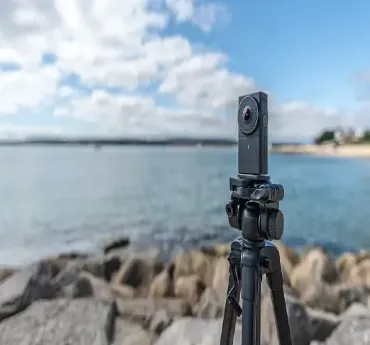
What is a 360-degree Camera Stand, digitalanivipracticeb

Tripods are among the most crucial gear for numerous kinds of photography as well as videography. They aid in camera stability and support it. Here’s an extensive write-up about what constitutes a camera stand:

History of Camera Stand

The production of photo and video equipment is closely linked to the history of tripod or camera stands. To sum it up, here is a brief overview of how it has changed:

Early Beginnings:

19th Century: In the mid to late 19th century, large-format cameras made use of the earliest tripods. These early cameras could take long exposure times that demanded stable support. The original tripods were just simple wooden forms with moving legs, made for heavy box cameras.

Grow and Change Early 20th Century:
  • The migration from bulky camera bodies to more compact designs. Such as 35mm film meant that tripod makers also had to adapt to reach portable designs.
  • Wooden tripod designs began to be exchanged for metal ones which have better resistance as well as stability.
  • Camera positioning became more flexible and controlled with the introduction of ball heads and pan-and-tilt heads.

Mid-20th Century:

  • As amateur photography gained popularity, Therefore tripods became more available to most individuals.
  • Makers commenced producing cheap tripods with attributes like telescopic legs and center columns that increased their versatility and usability under various shooting conditions.
  • In the past few years, novel materials like aluminum have helped to reduce the weight of portable devices.
Present Day/ Modern Day
  • Late 20th Century to Date: The introduction of digital photography and the growing trend of video content creation have always made advancements in tripod design. The popularity of carbon fiber tripods is due to their lightweight but strong design.
  • In addition, some specialized tripods and heads cater to different photography and videography needs such as fluid heads for smooth video panning, and macro tripods for close-up shooting.
Technological Integration:
  • Recent advancements in tripods frequently incorporate designs that allow for quick-release plates, internal spirit levels, and other accessories.
  • The portability and adaptability of tripods such as Gorillapod made it possible to position cameras more creatively in odd places.
Important Contributions

Producers:

  • Organizations such as Gitzo, Manfrotto, and Velbon have greatly helped improve tripod technology by providing an extensive line of products for professional and recreational photographers.
  • Modifications made by these firms include better leg-locking systems, head shapes, and the provision of more durable and portable materials.

Description of a Camera Stand (Tripod)

Structure and Components:

  • Legs: A tripod is ordinarily made up of three adjustable legs that take on different heights and provide support on uneven surfaces. Adapting the legs involves pulling out arrested extensions using various options such as flip locks or twisted bars.
  • Center Column: An upright pole, which runs straight from the peak of the three-legged support, represents the main column. Its position can be adjusted so as to elevate your camera significantly
  • Head: Formerly, the head of the tripod was a useable platform whereupon you could mount your camera.
  • Various tripod heads exist including; ball heads, pan, and tilt, fluid heads which foster different kinds of movements them.
  • Mounting Plate: When connecting devices to a camera, aid is provided by a mounting plate.
  • Quick-release systems in most of them make it possible for users to quickly attach or detach their cameras.
  • Feet: These extension supports may come with rubber tips or spikes depending on usage. Thus ensuring a firm grip on all types of carnage floors.

Different Types of Tripods:

  • Standard Tripods: These are commonly used for multiple purposes ranging from photography to videography. Adjustable legs and a center column are hallmark features of these tripods
  • Compact or Travel Tripods: Designed with portability in mind, such tripods are lightweight and can be easily folded into smaller sizes making them suitable for journeys
  • Heavy-Duty Tripods: Intended for professional purposes, these tripod designs are stronger and able to handle more substantial camera equipment than others. They often stay in studios or filming locations outdoors where stability is important.
  • Mini Tripods: They consist of small portable tripods that you can place on tables or other surfaces with ease. Ideal for lightweight cameras or smartphones.
Usage and Advantages:
  • Stability: It gives a secure base for the camera thus minimizing the motion of the camera resulting in clearer pictures and smoother videos.
  • Long Exposure Shots: It is crucial when taking long exposure pictures such as night photography or capturing motion blur.
  • Time-lapse Photography: It helps keep a uniform frame while making time-lapse videos.
  • Macro Photography: This enables accurate and stable placement of the camera for close-up shots.
  • Self-Portraits and Group Photos: This allows the person taking the photo to be part of it by using a timer or remote shutter release.

Conclusion

The improvements in camera support, such as a camera tripods, exhibit developments in photographic and videographic technologies. Basic timber rests turned into high-tech carbon designs that have consistently adjusted themselves to suit evolving requirements of photo and video makers. They function essentially as stable bases with flexibility for quality image and video shooting.

Frequently Ask Questions

What do you mean by a camera stand?

A camera stand, often called a tripod is the device used to hold up the camera or other photographic apparatus. This reduces instances of shaking that occur while taking pictures with the camera and easy to take photos in long-term exposure, exact framing and a stable shot.


Are phone tripods usable?

Indeed, a lot of gimbals include mobile phone holders or such that enable you to attach your smartphone to them thus keeping it steady while taking photos or videos


A quick-release plate is a tiny device that can be taken off your camera.

It enables one to quickly and easily put their camera on the tripod or take it off.


Is it possible to utilize camera support for video capturing?

Indeed, camera support systems are important in the process of recording videos as they prevent any camera shaking resulting from movements made during long recordings or while using pan shots. In such situations, fluid heads usually find application to achieve steady camera movements.


As their legs can be bent in different forms, flexible tripods can be used on any surface;

for instance, they can go around tree branches or poles and stand even on rocky ground. In this way, they help to stabilize the camera under awkward conditions.


What are the benefits of using a flexible tripod?

The benefits of flexible tripods are uncountable as they possess bendable legs that can wrap around all types of surfaces such as tree trunks, flag poles, or bumpy ground thereby offering steadiness in unusual shooting settings.


What steps should I take to care for my camera stand?

To maintain your camera stand:
Dirt and sand should be kept away from it.
Always inspect and tighten all screws and locks.
Use lubrication on movable parts if necessary.
It is best to keep the device in a dry place so that no rust or corrosion can occur.


When picking out a camera stand, what do I need to keep in mind?

These are some vital issues to think about:
Weight capacity:
Make sure the tripod can carry the weight of your camera plus all other accessories you have.
Height: Find a tripod that can match your style of shooting and then be able to reach the heights you want.
Material: Look for heavy-duty materials such as aluminum or carbon fiber that would last longer but still be lightweight.
Type of head: Various types of tripod heads (ball head, pan-and-tilt head) offer different amounts of flexibility and control.


What’s the correct way of arranging a camera stand?

Arranging a camera stand requires:
Raising the legs to the required length and locking them
Downward push or hand.
Ensuring that the tripod is positioned on a straight surface.
Fix the camera firmly using either the tripod head or using quick-release plates.
Adjust the head for framing purposes before locking it into position.

What is an iOS application?

10 Usability Heuristics for Bloggers and UX Designers in 2025 digitalanivipracticeb

An iOS application refers to a software program that is specifically designed to work with Apple’s iOS platform and is used by some gadgets such as the iPhone, iPad, and iPod Touch. A typical iOS application may manifest itself as anything from a simple utility or game to advanced business and productivity tools. Describe briefly the main features of iOS applications:

Key Characteristics of iOS Applications

  • Typical Features of iOS Apps Made for iOS Devices: iOS apps are designed to be run on Apple’s handheld devices. They exploit the iOS characteristics and functions.
  • Constructed with Swift or Objective-C: Swift and Objective-C are the two main programming languages used in the development of iOS apps. The use of Swift is recommended as it is Apple’s contemporary language that enhances safety, performance, and expression when compared to the older one.
  • Most iOS applications get distributed through the Apple App Store. To obtain an app listing, developers have to follow Apple’s rules and go through a review cycle before they can approve their apps for sale in the store.
  • iOS applications are designed to be operated directly using the touch and gesture-based interface of iOS devices. This includes using multi-touch gestures, swipes, pinches, and taps.
  • Take advantage of what Apple has to offer: iOS applications can utilize various features found in other types of devices or programs including Siri, Apple Pay, iCloud, Core Data, and Core Animation, Just to name a few.
  • Graphical User Interface: The development of iOS software, is always governed by guidelines provided by Apple to enable consistency and user-friendliness across all platforms. Concerning visuals such as icons; navigation methods; and controls that exist within the application (just a few examples).
Tools for Development Xcode:
  • The IDE is employed in iOS app development: this application comes with a collection of utilities to handle coding, testing, debugging, as well as deployment activities.
  • Interface Builder: An interface designing program integrated with Xcode. One can have a look at how the user interface will appear after writing the code.
  • iPhone Simulator: A device used by Apple that enables programmers to check their applications with several simulated smartphones having different operating systems and hardware.
Application Examples for iOS

Sample iOS mobile applications

  • Social media: Facebook, Instagram, Twitter
  • Productivity: Microsoft Office, Google Drive, Evernote
  • Entertainment: Netflix, Spotify, and Apple Music.
  • Games: Angry Birds, Candy Crush, Fortnite. Utilities: Calculator, Weather, Maps.
Advantages of Applications for iOS
  • Safeguarding: iOS has a reputation for its strong security systems which protect user information as well as guarantee confidentiality.
  • Effectiveness: iOS applications are specifically designed to fit into the hardware they are running on thereby enhancing their performance and making them consume less energy.
  • User Experience: Since iOS applications follow strict guidelines and quality control, they usually provide a good user experience.
  • Ecosystem Integration: It allows for seamless integration across major devices within Apple’s ecosystem such as Macs, Apple Watch, and Apple TV to give a single user interfacing experience.
Development Process

Planning and Conceptualization:

  • Idea Generation: Identify the problem the app will solve or the need it will fulfill.
  • Market Research: Analyze the goal audience, competition, and marketplace trends.
  • Feature Definition: Outline the core features and functionalities the app will offer.
Design:
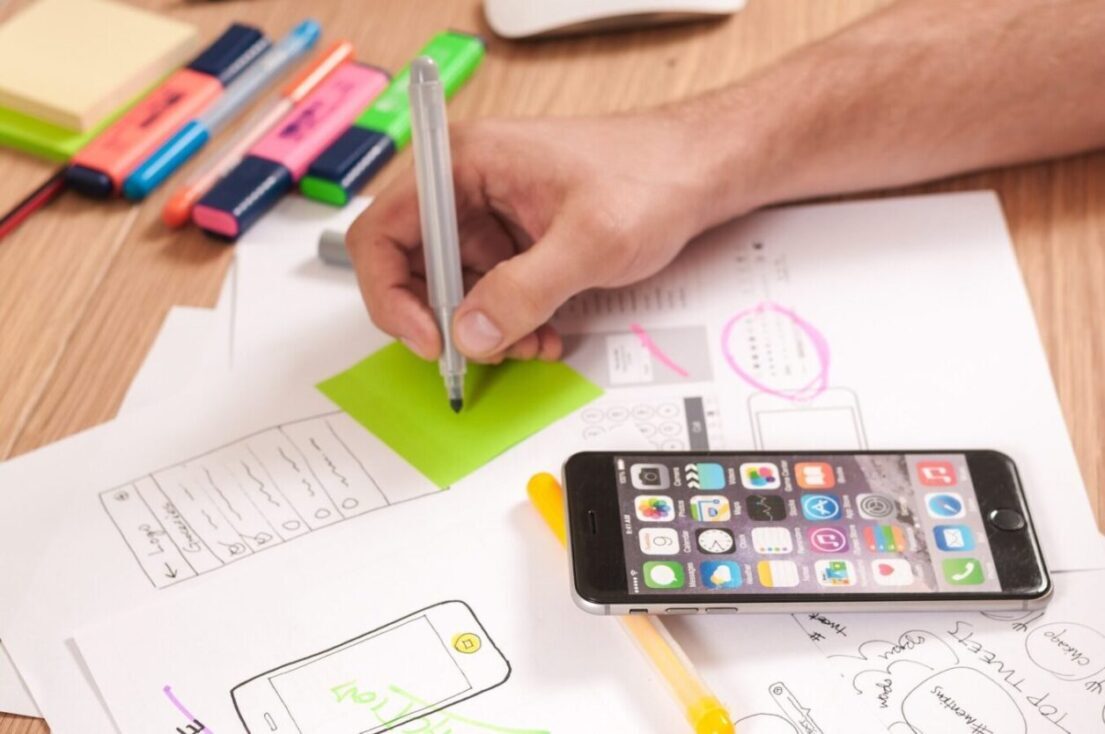
  • Wireframing: Create low-fidelity sketches of the app’s layout and user interface.
  • Prototyping: Develop interactive prototypes to visualize the app’s flow and user interactions.
  • UI/UX Design: Design the app’s visual elements, ensuring they align with Apple’s Human Interface Guidelines.

Development:

  • For the development environment setup – Install Xcode and configure the necessary tools.
  • Integration: Implement third-party services or APIs, such as social media sharing, payment gateways, or analytics.

Testing:

  • Unit Testing: Test character additives of the app to make sure they paint as expected..
  • UI Testing: Verify that the user interface behaves correctly under various conditions.
  • Beta Testing: Release a beta version of the app to a limited audience to gather feedback and identify bugs.

To develop an iOS app, you need to learn the design principles of the platform, use the right development tools, and follow the guidelines from Apple to come up with apps that are well-made and easy to use. This mixed understanding wants developers to create high-quality, user-friendly applications that satisfy user needs as well as business purposes.

https://digitalanivipracticeb.com/what-is-a-360-degree-camera-stand/

Freaquently Ask Questions

What exactly makes an iOS application?

An iOS application is a piece of software designed to be used on devices that are powered by Apple’s iOS platform like the iPhone, iPad, and iPod Touch. Users can get these applications by downloading them from the Apple App Store.


On which programming languages are iOS applications built?

Swift is Apple’s contemporary programming language that forms the backbone of most iOS apps’ design. However, it has been imperative to preserve certain functions in older systems or when indicated especially through certain requirements.


You require a few tools to develop iOS applications.

Xcode: An IDE from Apple for Mac OS.
Swift Playgrounds: This program allows users to easily learn Swift.
TestFlight: Used to beta test applications.


For iOS app design, what do the rules entail?

For instructions on making an engaging and visually appealing application, you should adhere to Apple’s Human Interface Guidelines (HIG).


Why is it important to maintain privacy and security on iOS apps for users?

Privacy and security of users are critical when developing iPhone applications. Therefore, it is necessary to follow Apple’s privacy rules while providing protection for their information and also obtaining users’ consent before collecting or using any of their data.


How can I enhance the performance of my iOS app?

Refine your code: Make your code efficient and neat. Minimize Load Times: Resize images and resource files accordingly. Monitor Performance: Identify and rectify any sluggishness with Xcode’s tools. Reduce Battery Usage: Do away with idle background activities.

Optimized with PageSpeed Ninja