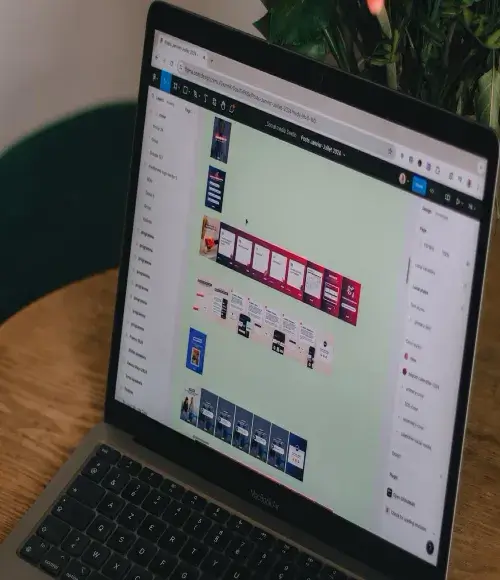
Before knowing How To Use Figma For Web Design. 1st we will understand What is Figma.
What is Figma?
Figma is a robust web design platform developed for use, with the major objective of designing user interface (UI) and user experience for applications. It allows designers to design and share products, prototypes, and design systems on the web in a collaborative and accessible manner.
The functions of Figma such as real-time team collaborative editing, prototyping, and developer handover phases play a significance in enabling success for teams. It allows vector designing and the use of design systems and libraries which helps maintain design consistency across several projects.
The nature of the application enables the use of Figma by teams irrespective of their geographical location and on any device with the internet, hence allowing for feedback in the design process and eliminating the need to keep several copies of the design file. It is widely used in product designing, designing mobile and web applications, and even prototyping making it a multi-functional product to the designers, developers, and other people involved in the design process.
Figma in web design
- Employing Figma in web design means optimization of its design and collaboration capabilities to build web layouts quickly and efficiently, test them, and improve where necessary. This is how it can be used effectively on web projects.
Set Up a New Project:
- First, open a blank document in Figma and create new page frames according to the dimensions of your website. Figma has several web templates for both desktop and mobile layouts that can be edited.
- Begin a new file in Figma, and create frames for the specific device dimensions (e.g. desktop, tablet, mobile) targeted by the design. This allows for responsive design right from the start.
Generate Layout Grids:
- With the help of Figma’s layout grid option, structuring the web page and aligning the elements becomes an easy task.
- Grids assist in retaining consistency in responsive design irrespective of the screen size.
- Make good use of Grids in Figma in bringing out an order in designs. A grid system allows for proper alignment which is very important in attaining a pleasing and functional interface.
Design Elements and Resources:
- Create generic elements such as navigation panels, buttons, headers, icons, input fields, and so on.
- Figma makes it easier by allowing duplication and modification of components all over your design for its uniformity.
Employ Styles for Uniformity:
- Establish text and color styles for consistent typography and branding across the site. This serves to foster an integrated outlook and makes the implementation of any wholesale changes easier if at all necessary.
- The style system available in Figma ensures that consistency is upheld and that global changes become easier whenever there are any changes in the design color palette or typography.
Prototype and Test:
- Figma’s prototyping functionality allows for the connections of covered sections in a way that helps in interactive navigation. To give a better preview of the website, one can also include some animations and even transitions and then circulate the preview to stakeholders for their input.
- End frames and other engagements such as animation page transitions among others to make a cohesive prototype. This function enables the stakeholders to experience the design flow before the implementation phase.
Collaborate in Real-Time:
- One can give access to the design file to colleagues and clients alike. They can also give comments straight on the design which quickens the entire feedback and editing process.
- The inclusion of the web-based concept in Figma allows for real-time working where other team members can view the design and leave their comments. This helps in improving feedback loops and minimizing the number of times revisions are done.
Developer Handoff:
- When the design reaches the final stage, developers, use Figma’s embedded design specs, screenshots of the iOS and Android code snippets, and style guides easing the handoff considerably.
- Once the design phase is completed, developers can view specifications, and CSS properties, and download assets directly in Figma. This peculiar feature eases handoff, making it easy for development to follow after the designs.
Plugins To Use Figma For Web Design
To simplify the design process activities and help maintain high standards of the design, many Figma plugins have been developed. These are:
- Autoflow:
- Unsplash:
- Iconify:
- Content Reel:
- Blobs:
- Figmotion:
- Color Palettes:
- Charts:
The utilization of the mentioned plugins can expand the scope of using Figma in web design with productive means of incorporating and adjusting images, icons, animations, and other elements of the design.
Conclusions
The relevant recommendations and instructions put forward in this section diminish the number of back-and-forth interactions between a designer and a developer during the development phase. In addition, these visual designs supplement Figma’s most basic features so that the web interfaces created within Figma are consistent, interactive, and able to be worked on by several people at once.
Frequently Ask Questions
Start by opening a new document and creating frames for the dimensions of the web layout that you would require. For more organization, utilize layout grids and include ready-made elements for more uniformity
Indeed, in addition to the above, Figma also has tools for creating animated interactions with buttons and links, just like how an actual website behaves when navigating through it
For sure. Designers can use the grids, constraints, and auto-layout capabilities of Figma to create designs that easily stretch to fit any screen size without losing the overall composition.
The Figma file can be linked to others and they may collaborate on the project and provide their input simultaneously. The design allows stakeholders to leave messages within the image
Figma also supports the developer’s handover with access to CSS, assets ready for download, and design instructions making the process from creating the design to developing it much easier