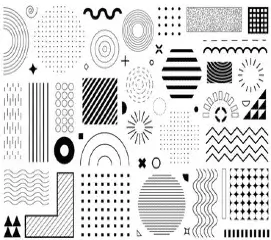
12 Elements Of Design 2025: Elevating Visual Communication

12 Elements Of Design 2025: Elevating Visual Communication

12 Elements Of Design 2025: Elevating Visual Communication

These very fundamentals of design remain critical even in 2025, adapting to current requirements like AI integration, sustainability, and immersive experiences. Whether working on creating digital interfaces, marketing campaigns, or tangible products, ensuring mastery over these tenets would create designs that will resonate in modern times.

In this blog, you will find all the basic elements of design, their practical examples, current trends, and actionable insights into improving creativity and engagement.

What are the Elements of Design?

Elements of Design are the building blocks for creating any visual composition. It can be lines, shapes, colors, etc. Texture, space, and even typography are combinations of different elements that can be combined and manipulated to create more powerful visualizations.

1. Foundation of Structure

  • Lines are the most elementary yet versatile form of design. A line may divide spaces, connect points, lead the viewer’s eye, or just define forms.
Trends for 2025
  • Dynamic Lines: Dedicated to motion graphic uses, to create great animation.
  • Abstract Lines: These are becoming very popular in digital and NFT artwork.

Use bold lines for dramatic effects, and thinlines for subtlety. Experimentation with curves gives a very soft, flowing feel.

2. Form: The building blocks

  • Shapes are enclosed areas bordered at least partly by straight or curved lines. They can be geometric-for example squares and circles or organic, having irregular or natural shapes.
Modern Uses
  • Minimalist Shapes: Best suited for web and app design because they are simple and clear.
  • Interactive Shapes: As given in the context of Augmented and Virtual Reality (AR/VR) interfaces.
Tips
  • Try to combine geometric and organic silhouettes and maximize diversity.
  • Symbolical shapes become associated with important feelings (think of circles and unity angles as direction).

3. Color: Emotion and Meaning

  • Color creates a design mood, sets the dynamic of the design, and makes a brand known.
  • By 2025, the idea of sustainable design will be tied up with natural and earthy tones. AI will give a large palette of combinations from which one can choose.
Trends
  • Vibrant gradients: bringing life into flat designs.
  • Mood Changing Colors: Allow users to easily personalize the dynamic color schemes.
Tips
  • Employ tools like Adobe Color or Colors to play with color harmonies.
  • Make accessibility the topmost priority by ensuring a fair contrast.

4. Texture:

  • Bringing Depth to Deceptive Illusions Texture is the surface perception that can be actual or illusive.
  • For instance, in the sense of assimilating physically apparent papers, metal art, or fabric in its design.
Contemporaneous Uses
  • Realistic Textures: Such as those made more alive in 3-D modeling applications, such as Blender.
  • Subtle Patterns: Generally employed as overlays on backing images to give the scene depth.
Tips
  • Never tend toward complex textures that throng composition.
  • Combine Textures with Gradients for a Modern Visual Effect.

5. Space: The Silent Element

  • Space: Occupied and Unoccupied site. It is a positive and negative space, as it relates to legibility, focusing, and aesthetics thereof.
Innovations 2025
  • Dynamic White Space: It is a web development integrated approach that smoothens user experience.
  • 3D Space: Spaces created with spatial computing in a virtual world.
Tips
  • Leverage more negative space in the design so that it looks clean and tidy. Employ grids to capture balanced layouts.

6. Typography: Voice of Design

  • Typography is the choosing as well as setting of fonts to give a message. In 2025, bold typography and experimental fonts will be dominating creativity around industries.
Trends
  • Variable Typefaces: Allow dynamic adjustment in weight, width, and size.
  • Handwritten Styles: Popular for personal and authentic branding.
Tips
  • Limit yourself to having at most 3 font families within any one project, ensuring coherence.
  • Use hierarchy to guide the viewer (e.g. headings, subheadings, body text).

7. Balance symmetrical and asymmetrical:

Distribution of weight as balance. Balance identification pertains to a structure, while imbalance design in space generates energy and movement.

Latest Examples.
  • Asymmetry in Apps: Turning in motion; a way to give movement to scrolling.
  • Radial Balance: This concept is well expressed in logo and icon design for example.
Tips
  • Make use of grids to have balance in an increasingly complicated layout.
  • Combine the two: asymmetry and symmetry for visual interest.

8. Balance: Symmetry Vs. Asymmetry

Balance distributes the visual weight of the design. While symmetrical constructions look structured and rigid, asymmetrical constructions convey energy and movement.

Modern Examples
  • Asymmetry in Apps: For dynamic scrolling effects.
  • Radial Balance: Found in logo and icon designing.
Tips
  • Establish balance in complex structures using grids.
  • The synergy of symmetry and asymmetry gives aesthetic value.

9. Proportion and Scale: It heightens focus

Proportion is the connection of 1 detail to another Scale. However, defines the overall size.

Use Cases
  • Oversized Typography: Intended for attention-grabbing effects through poster displays.
  • Realistic Proportions: In product mockups, this is extremely necessary.
Tips
  • Require large elements sparingly; otherwise, overpower the design.
  • The lofty should be compared according to proportionate size to achieve visual harmony.

10. Contrast: Attention-driving

  • Contrast puts forward differences between elements and their output.
Applications
  • Light versus dark mode: contrast in reading.
  • With calls to action, one could set up complementary colors.
Tips
  • Pair contrasting colors to elevate visuals and bring out their stark difference.
  • Use contrast to create a visual hierarchy.

11. Unity and Harmony: A Larger Picture

  • Unity makes sure that all the elements systematically work with one another, while harmony applies to the elements of aesthetics.
Examples
  • Unified Branding: Coalescent colors, fonts, and layouts.
  • Harmonious Websites: Well-spaced aligned designs.
Tips
  • Use a style guide for consistency.
  • Ensure harmony by testing your design across different mediums.

12. Movement: It Directs the Viewer

  • Movement gives a flowy feeling in terms of directing the eye’s path through the design.
  • Trends Micro-animations are components of UI items used in returning feedback. Animation with a scroll trigger is very useful to enhance storytelling in web designs.
Tips
  • Use movement sparingly to avoid distraction.
  • Combine sound with animations for immersiveness.

What Makes Design Elements Important in 2025?

These are future designs integrated with emerging technologies such as AI and its other significant elements such as AR and sustainable practices. When a designer is well-versed with these fundamentals, he or she can do the following:

  • Improve Communication: Deliver messages well.
  • Construct Memorable Experiences: Attach emotionally.
  • Remain Current: Keep up with trends and discoveries.

Conclusion

Design elements are lasting yet have ongoing changes. This will be the spine that most projects around industries will rely on in 2025-from digital interfaces to tangible products. If you master and adapt these elements, you can create designs that are not only visually impressive but make a statement.

Now then, go take your design game to the loftiest level. Learn about these elements, experiment boldly with them in every way imaginable, and watch your creativity skyrocket! 12 Elements Of Design 2025: Elevating Visual Communication

Frequently ask Questions

What is an element that basic designs in 2025 will have?


From line and shape to color and texture, as well as space and typography, these basic design elements are still embodied as concepts. In 2025, they will be further expanded in their application in inventive ways, thanks to modern innovations and trends like AI-driven design, immersive 3D elements, and adaptive layouts

How is the use of design elements in digital platforms?

The use of design elements on digital platforms is mainly geared towards improving the usability and engaging experience of users. For example, color schemes make accessibility possible, typography affects hierarchy, and motion brings interactivity to applications in UI/UX such as websites and mobile apps

How does technology affect the evolution of design elements?

Dynamic use of elements is made possible by technologies such as AI and AR/VR. AI tools tend to suggest designs that complement each other with minimal human intervention, while AR raises awareness of space, and thus puts greater emphasis on textures and three-dimensional space to achieve a holistic immersive experience

What are the effects of sustainable practices in 2025 by design elements?

Greener influences can be felt even through color selection and the way materials simulate forms and presentations. Usually, most designers tend to adapt their designs by using earth tones along with lightweight digital components and simplicity from possible applications to meet the eco-friendly principle

What are some of the tools that are going to help implement proper design elements in the year 2025?

Some of the tools that support designers in effecting the application of design elements include Adobe Creative Cloud, Figma, Blender, and Canva. These platforms provide AI-driven recommendations on layouts that change according to users’ behaviors and allow for real-time collaboration to make any and every level of the design process seamless.

“Music Video Production 2025: A Creative Journey.”

YouTube Script Writing (2025) , digitalaivipracticeb

“Music Video Production 2025: A Creative Journey.”

Today, music videos are a vital component of the music industry in terms of artistry, technique, and storytelling. Whether you are an indie artist, a director, or a production junkie, learning about the process of music video production can be a great avenue for unlocking creative spaces. This blog is about the complex process, tips, and trends in music video production that will make your next project a masterpiece meant for audiences worldwide.

The Fragrance of Music Video Production

It is not just about a song visual; rather, it tells a story into something deeper that connects listeners with reality. A well-made music video could prove a boon to musicians in so many ways strengthening brand identity to fostering audience engagement.

Stages of Music Video Production

Concept Development
  • Vision and Theme: Recognize its essential message and aesthetics. Is it a narrative form video, performance-based, or abstract?
  • Mood Board Creation: Use references like photos, clips, or sketches to visualize the theme.
  • Collaborative Input: Artists, directors, and choreographers collaborate to align the concept with the song’s mood and lyrics.
Pre-Production
  • Budgeting: Many costs may include but are not limited to equipment, crew, locations, props, and post-production.
  • Scripting and Storyboarding: Sketch every scene so that filmmakers are left with no questions from the directions while shooting.
  • Location Scouting: Pick out locations that fit the requirement for what the theme shall be and get the permissions when needed.
  • Cast and Crew: Finalize actors, dancers, and the entire production team. Skilled professionals can elevate the final output.
  • Equipment Prep: Choose cameras, lighting setups, and other technical requirements.
Production
  • Shooting: The principal stage where the creativity and plans are all brought to life. Directing is key to achieving the desired look and feel.
  • Technical Excellence: Proper lighting, camera angles, and focus on audio-visual synchronization are critical.
  • Flexibility on Set: Be ready to adapt to unforeseen challenges, like weather or last-minute changes.
Post-Production
  • Editing: This takes the stage of cutting together footage, synching it up to music, and finalizing transitions.
  • Visual Effects (VFX): Use CGI, animation, or color grading to finish the scenes.
  • Audio syncing: The visuals must then all be perfectly aligned with the vocals such as lip-syncing and beat synchronization.
  • Feedback and Revisions: Share drafts with stakeholders and incorporate feedback before finalizing.
Suggestions on How to Produce Your Music Video Successfully
  • Know Your Audience: Customize your aesthetics to make sure that you can relate more to the teen audience you are targeting.
  • Be Yourself: Understand the business, but let the artist retain his identity even if one wants to experiment with creativity.
  • Invest in Quality: One cannot deny that both high-quality pictures and sounds can make or break the triumph of a video.
  • Keep it Short: A good video will keep your attention, and at the same time, it will be very long.
  • Leverage Trends: It’s viable to adopt current trends across time.
Successful Music Video Production Tips
  • Know Your Audience: Create an appropriate style and tone for the target audience.
  • Authentic: Capture the artist and be consistent, although infusing creativity.
  • Invest in High Quality: optics and sound play a significant role in the successful production of a video.
  • Keep It Short: An interesting video does not keep long. Embrace Trends: Bring the latest to creation but an eternal feel.
Upcoming Trends in Music Video Production
  • Vertical Videos: Primarily designed for mobile-friendly platforms like Instagram Reels and TikTok.
  • Interactive Videos: Allowing the audience to choose their storyline or outcomes, ensuring higher engagement.
  • DIY Aesthetics: Authentic cheap videos meant to connect to Gen Z.
  • 360-Videos: Those enabling immersing experience by virtual reality.
  • AI and AR: Advanced artificial intelligence creations and augmented reality effects.

Studies of Cases: Music Videos of Iconic Brands

Beyoncé’s “Formation”
  • A collaboration between Melina Matsoukas and this video is largely based on visuals and touching social commentary.
  • Known for the elaborate production design and cultural percussions it has made.
OK Go’s “Here It Goes Again”
  • Famous for pinning treadmill choreography, it creates a debt that amounts to crazy creativity.
  • 1- Shot in a single bold frame with innovative directing.
Childish Gambino’s “This is America”
  • Gloomy, very clear socio-political matters can be accomplished with provocative visuals containing more value and layered symbolism.
Music Video Production Challenges
  • Timeline Problems: The ability to meet an internal deadline creatively.
  • Financial Boundaries: How to achieve a cinema result on a budget.
  • Creative Differences: Resolving the vision of directors, artists, and producers.
  • Technical Issues: Solving a technical fault during filming or an editing process.
Future Music Video Production

The future of music video production lies in advances in technology and changing attitudes for audiences toward:

  • Virtual Production: Using LED screens and Unreal Engine to convey the dynamic backgrounds in real-time.
  • Global Reach: Connect talent through remote productions internationally.
  • Eco-Friendly Practices: Borrowed from greener technologies and practices so that music video production reduces its impact on the environment.
Conclusion

Producing a music video involves the integration of art and technology in such a way that it brings the song to life. From concept to post-production, such activities are dependent on teamwork, each involving creativity, precision, and passion. Whether for high-budget extravaganzas or DIY projects, the ultimate goal is to realize a masterpiece that resonates with an audience and elevates the music it makes. Music Video Production 2025: A Creative Journey to Visual Storytelling

Start your journey and let your vision transform storytelling in music videos today.

Frequently Ask Questions

What’s good in music video productions for the year 2025?

Current up-and-coming trends are virtual production, with LED walls, user interaction with music video narrative, immersive 360-degree experiences, AI-generated video effects, and vertical formats for platforms such as TikTok and Instagram.

What would be the average budget required for creating a professional music video in 2025?

It can range broadly from $5,000 for simple indie shoots to over $500,000 for high-profile productions. Some of the factors in deciding a budget include location, special effects, talent, and production scale

What is the average time taken for a music video?

Generally, the time frame for production can vary anywhere from 2 to 6 weeks. This time frame considers the following: Conceptualization and Development, Pre-Production (2 weeks), Shooting (1-2 days), and Post Production (1-3 weeks)

Where would the best platforms for releasing music videos be in 2025?

YouTube is still the most vital global platform, while Instagram Reels, TikTok, and Spotify Canvas are quite effective for short-form content and social aspects.

What budget-friendly strategies can independent musicians employ to create videos?

They can shoot in natural light, collaborate with local talents, use smartphones as cameras or emerging filmmakers and student actors, and DIY software and tools to cut costs.

Material UI Animation 2025: Elevating User Experience by Motion Design

Material UI Animation 2025: Elevating User Experience by Motion Design, , digitalanivipracticeb

Material UI Animation 2025: Elevating User Experience by Motion Design

Google’s design system, Material Design, has come to mean clean, functional, and pleasant-looking user interfaces. Among its many strengths, Material UI animations are major supporters of the user experience. These animations do not just serve as decoration; they also clarify and guide users while bringing extra delight to the digital experience. This blog will deeply explore Material UI animation, principles, use cases, tools, and top-notch practices to create engaging and intuitive interfaces. Material UI Animation 2025: Elevating User Experience by Motion Design

What is Material UI animation?

Material UI animation is an animated visual effect that uses Google’s Material Design principles. The animations exist in such a way that they give a person the feel of the real world. They make digital interaction more tangible and natural. Material UI animation is more like an experience that bridges the gap between the functionality and design of a product. It has enhanced usability and does not overstimulate people, as it does from the button press to page transitions.

Why is animation important in the UI design genre?
  • It explains the action: Animation indicates that what one has done can be recognized as having been initiated. For example, a ripple effect shown on the button after clicking acts as proof symptomatically that it has been clicked.
  • Improves Navigation: Smooth transitions occur between pages or between interrelated components that guide the user, relieving some of the cognitive load as well.
  • Pleasing Addition: This gives a hearty delight to the overall experience an interface could give to anyone and could be ringing indefinite bells in their memory.
  • Decreases Load Perceived Time: The waiting time does not feel as postponed due to animation that is either loading or processing the progress with which an action is being waited.
Principles of Animation in Material UI
  • Authenticity: Animation will be good to go if it is built in terms of timing, easing, and acceleration to become as near as possible to real-life physics within itself.
  • Clarity: All animations are to have one purpose, which is to highlight a particular action in the development of the user’s flow experience or to bring their attention from one object to another.
  • Consistency: This ensures that all components of a single application or an entire website provide the same experience to the user.
  • Efficiency: Animations therefore have to occur rapidly and avoid introducing delays not helpful.
Types of Material UI Animations
  1. Animation Effects
  • Ripple Effect: This indicates a tap or click on an interactive component such as a button.
  • Hover Animation: This gives subtle feedback when one hovers over certain elements.

2. Transitions

  • Transitioning Pages: It works by naturally transitioning the users from one screen to another or from one section to another.
  • Transition Between Elements: This should depict the relationship that exists between interface components when they change their states.

3. Loading Animation

  • This knows when the action is undergoing by using something like a spinner or progress bar.

4. Micro-interactions

  • It can give you small animations in user-initiated switches or posts.

How to Implement Material UI Animations

Material-UI (which recently changed its name to MUI) contains a set of built-in components enhanced with animations such as buttons and sliders for easy incorporation by developers into their React applications.

CSS Keyframe and Transition

CSS gives freedom of animation by defining keyframes:

@keyframes fadeIn {
from {opacity: 0;}
to {opacity: 1;}
}
.fade {
animation: fadeIn 0.5s ease-in-out;
}

Java-Based Libraries
  • Such libraries would include Framer Motion, GSAP, or even React Spring, all of which allow you to create complicated and specific animation sequences.
Prototyping Tools
  • Example: use these tools Figma, Adobe XD, or Principle to design and prototype your animation before coding it.
Best Practices for Material UI Animation

Minimalism

  • Don’t use excessive motion on your interface, only those that add value such as functionality-enhancing uses.

Uniformity

  • Apply similar style, easing, and timing across your interface.

Optimize Performance

  • Do not let animations adversely impact application performance. Use hardware-accelerated animations like transform and opacity changes.

Accessibility

  • Let users disable animations in case of motion sickness.
  • Animations should not hinder reading or usability.
Some Examples Showcasing Material UI Animation in Use

Google Applications

  • Gmail provides seamless transitions from inbox to drafts and sent folders.
  • Zoom-in and fade-out effects in Google Maps render a more natural interface.

E-commerce Sites

  • Animations add a delightful component to whatever shopping experience is provided by site features such as product image zooming or cart additions.

Social Media Platforms

  • Examples here are microinteractions for elements like likes, comments, and share buttons on platforms such as Instagram.
Trends in Material UI Animation for 2025

3D Animations

  • With the advent of progressive technology, 3D elements, and animations will become even more common to give added depth to interfaces.

Dynamic Personalization

  • User-specific animations create unique experiences through different preferences and usage patterns.

Augmented Reality (AR) Integration

  • Animations are now used more and more to connect bridges between digital interfaces and physical environments, especially in AR ones.

AI-Powered Motion Design

  • With the help of artificial intelligence, the amelioration needed in chaining up complex animations becomes accomplished while designers focus mostly on creativity.
Conclusion

Material UI animations comprise an indispensable part of today’s UI and UX touchpoints, fusing their operability with aesthetics to create intuitive, enjoyable experiences. This gives material practice to designers to create interfaces not only visually cooling but also endearing. This route leads to integrating animation thoughtful projects closer to the finishing point of even experienced designers.

So, test it out with Material UI animations today. Now take it to the next level!

Frequently Ask Questions

What are animations made in Material UI?

Such animations are effects that are used to animate visual aspects of a page or an application by Google’s Material Design principles. These effects imitate the physics of the real world to make digital actions feel more intuitive and attractive, thus heightening usability and design


What resources are there to animate Material-UI elements?

While designers prototype animations with tools such as Lottie, Adobe After Effects, and Figma, developers animate with Material UI, CSS keyframes, or JavaScript animation frameworks such as Framer Motion or GSAP.


What is the way I can make these Material UI animations accessible?

Give settings to turn off animations for motion-sensitive users.
Limit the motion effects so as not to distract the user.
Chances are, the animation in a transition does not take away prime contrasting abilities or legibility.

Optimized with PageSpeed Ninja