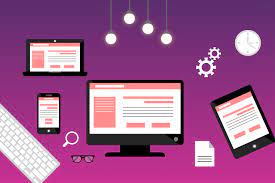
Mobile vs. Desktop Blog Layout in 2025
In 2025, user experience (UX) is everything! Whether you’re a lone ranger blogger or the content strategist for a brand. Knowing how your blog or web layout performs on mobile vs desktop isn’t optional; it’s mandatory!
When over 70% of web traffic now comes from mobile devices, your blog’s layout needs to do the heavy lifting for all screens and work effortlessly on them all.
But what are the differences when it comes to a layout between mobile and desktop? How can we optimize both a mobile and desktop layout to keep readers engaged, and drive down bounces while boosting blog traffic? In this post, we will compare mobile vs desktop blog layouts for you, as well as provide actionable tips for improving both. Let’s get started.
Mobile-First Browsing is Here
For most of the early 2010s, a majority of blog readers used desktop devices. Fast forward to 2025, and it is the new norm for readers to browse on mobile devices first. Google made a mobile-first consideration to indexing and ranking sites, officially meaning Google was indexing the mobile version of your blog. You are losing blog readers, engagement, and some SEO juice if you are only creating a big-screen version of your blog because it looks broken or messy when viewed on mobile.
🖥️ Desktop Blog Layout: Pros & Cons
✅ Benefits of Desktop Layouts:
- More space on the screen: Desktop allows for multi-columns, sidebars, and widgets.
- Higher ability to engage with long-form content: Some users still prefer the experience of reading long articles on larger screens.
- Easier to navigate: The more menus, dropdowns, and search features are much easier to access.
❌ Drawbacks of Desktop Layouts:
- Share of traffic is lower: In many niches, mobile readership now takes up the majority of traffic.
- It can look cluttered: With more space, you can easily create a bloated page that distracts from messages and calls-to-action.
- Not for people on the go: The way people consume content is increasingly skimming and scrolling.
📱 Mobile Blog Layout – Advantages & Disadvantages
✅ Advantages of a Mobile Layout:
- Traffic potential: Readers are primarily mobile-first.
- Clean experience: A minimalist design keeps the reader’s attention focused on the content.
- Scroll: Mobile readers prefer quick, fluid scrolling.
❌ Disadvantages of Mobile Layouts:
- Less space: Less real estate for sidebars, large banners, or rich media.
- Typography: Fonts and line spacing have to be perfectly optimized.
- Navigation is harder: Small screens require simple and accessible menus.
Mobile and Desktop Layout: UX Differences
| Aspect | Mobile Layout | Usually present in the house, widgets, or CTAs |
| Screen Size | Small | Vertical for touch interaction, large horizontal for mouse interaction |
| Navigation | Hamburger menus | Sticky headers, full menus, dropdowns, and visible navigation. |
| Sidebars | Usually, it is removed or moved to the bottom | Usually present in the house, widgets or CTAs |
| Readability | Small paragraphs, larger font size | Not as restrictive with content display |
| Page Speed | needs to be fast | More flexibility |
| Call-to-Actions (CTAs) | Thumb-friendly and minimal | Can have more detail, or can be more visual |
| Ad Placement | Limited options | More ad units can be used |
Why You Should Start With Mobile Design First.
Mobile-first design means you design your layout for mobile first instead of starting with the desktop version, and here’s why it’s a good idea:
- Google pays attention to mobile versions first in search ranking.
- Mobile-first keeps your content cleaner, and there’s less distraction.
- Most users find blogs through mobile-first platforms (Instagram, Twitter, etc.)
📌 Pro Tip: Check your blog’s mobile performance using tools like Google’s Mobile-Friendly Test.
✅ Mobile Blog Layout Best Practices in 2025
- Use a responsive theme – If your blog is responsive, your theme will automatically adjust for screen size.
- Optimize your font sizes – Font size should start at a minimum of 16px for body text on mobile; this will help you keep your text readable.
- Simplify your navigation – You can replace your navigation with a hamburger icon and collapsible sections.
- Make your buttons and links thumb-friendly – Make sure your tappable area is at least 44px by 44px.
- Include sticky calls-to-action (CTAs) and share buttons – Easy access without overwhelming the reader.
- Compress images – Use WebP format for better performance and lazy-load images to help with load speed.
- Avoid hard-to-dismiss pop-ups – Google penalizes mobile sites if they have a pop-up that is hard to dismiss.
Desktop Design Still Matters – Here’s How
Even with mobile trendsetting the technology landscape, desktop design and layout still play a role for:
- Business readers or professionals on workstations,
- Long-form content, content guides, and content tutorials.
- Email sign-ups and widgets in sidebars.
Make the desktop version of your blog the best it can be:
- Use multi-column grids to display content visually.
- Keep sidebars as clean as possible and with a purpose (e.g., opt-ins for newsletter, popular content, etc).
- Utilize whitespace so that our reader does not become visually fatigued.
- Consider adding interactive content like carousels, image sliders, or embedded charts.
💡 UX Design Recommendations to Consolidate the Two Layouts
- Responsive Designs: Use media queries in CSS or responsive classes in frameworks such as Bootstrap or Tailwind CSS.
- Brand Consistency: Ensure the fonts, colours, and imagery are the same on every device.
- Cross-Device Testing: Test on multiple devices using BrowserStack or Chrome Dev Tools.
- Consider Mobile Performance: You can find many mobile usability and performance-related issues in Google PageSpeed Insights.
- Design Touch-First Interactions: Designing touch screen interactions means considering intuitive gestures and clear tap areas.
🔍 Blog Having Different Layouts and Its SEO Implications
Search engines such as Google factor in mobile functionality and performance. For this reason, a blog with a poor mobile layout could potentially have:
- Lower visibility in search results.
- Higher bounce rates
- Slower indexing and crawling
To improve your SEO:
- Mobile optimized titles and meta descriptions.
- Ensure schema markup functions on mobile pages.
- Ensure internal links are click able and easy to follow on both devices.
Conclusion:
Optimize for Both — and Mobile First In our multi-device world, you need to create a seamless UX and experience for your blog for mobile and desktop. But if you have limited time and resources, do not worry about desktop. Focus on creating a mobile experience because, that’s where your traffic is coming from. That’s also where Google is noticing.
With just understanding a few key differences in mobile vs. desktop layouts, and a few UX best practices, you can:
- Increase dwell time
- Reduce bounce rates
- Increase conversions
- Increase organic traffic
Frequently Ask Questation
The big difference is responsiveness and user intent. Mobile layouts emphasize vertical scrolling, taps, and bite-size pieces of information. In comparison, desktop layouts use more design space for multi-column layouts, larger images, and user-reading depth
Because users behave differently on each device. Mobile users tend to want quick information they can access while on the go. Desktop users are more likely to be engaged in methodical research or reading. Your blog experience should fit the user experience so that your blog boosted engagement, decreased bounce rate, and improved SEO.
Google is smartphone and mobile first indexing, which means your mobile blog layout will impact your overall search ranking. Fast loading pages, clean mobile designs, and proper heading hierarchy will be needed for SEO success in 2025
Fast loading pages, large fonts, collapsible menus, sticky CTAs, image optimization, and short paragraphs are examples of mobile best practices. Use a strong thumb-friendly design and minimalism to promote uninterrupted reading
Now, tools such as Figma, Webflow and WordPress block editors provide strong responsive features. You can preview the changes you made to your blog layouts across various screen sizes. With these modern resources, responsiveness is less of a process, and more consistent and better performing websites can be setup across devices.
